Help Center · Spektra (SDR Plugin)
Getting started
Buy the licence, activate it on your account, download the app for your platform, plug in an analyzer and get your first coordination sheet.
On this page
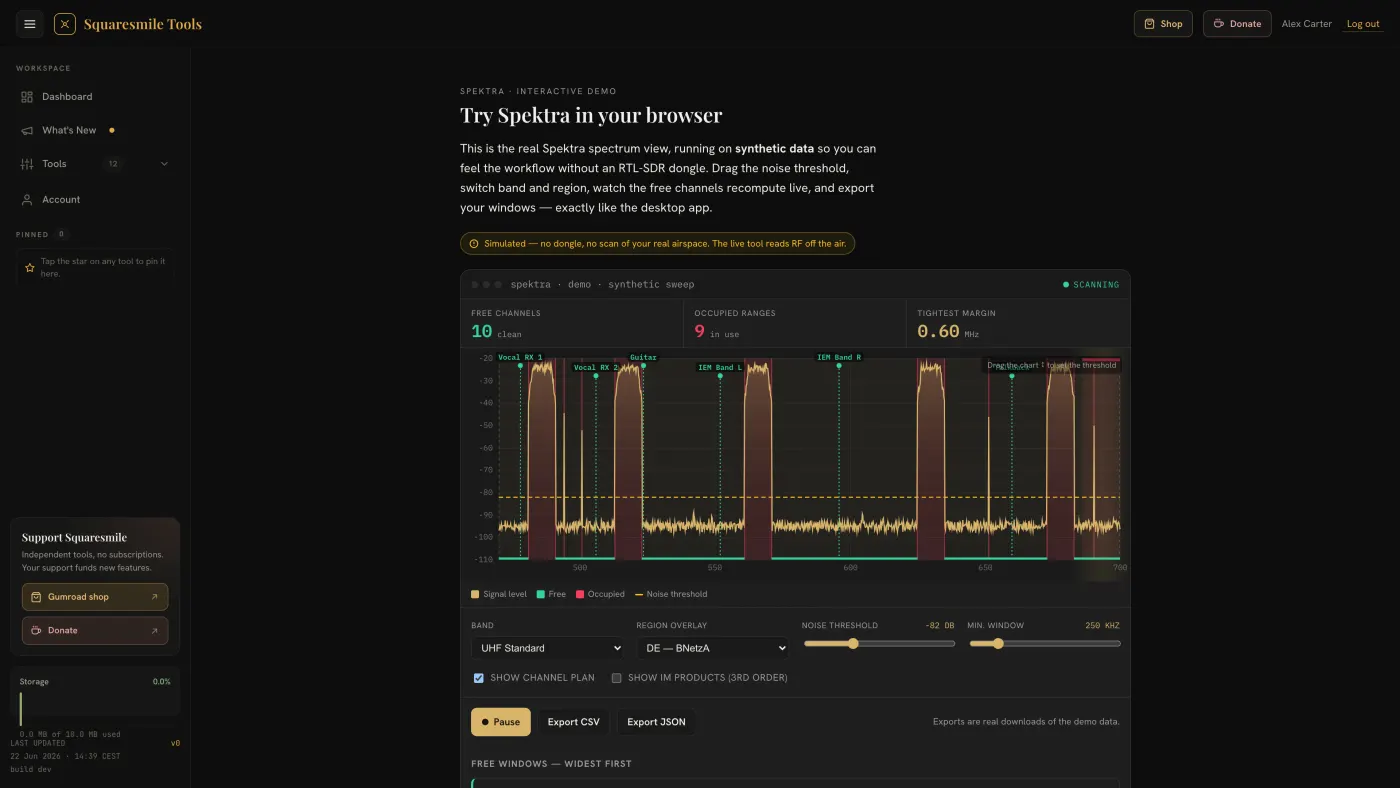
Spektra does not run in the browser tab. The platform holds your licence and serves the download; the app runs locally on your Mac or PC.
Quick start
- Buy Spektra on Gumroad (€49, one-time). You receive a licence key.
- Activate. Signed in, open Spektra from the dashboard — without a licence you land on the Activate license page: paste the key and tap Activate license. Your email must be verified first. New to the platform? The claim page at
/claim/sdr-plugincreates the account and redeems the key in one step. See Licences and paid tools. - Download. The Spektra page on the platform offers three builds: macOS · Apple Silicon (.dmg), macOS · Intel (.dmg) and Windows (.exe). On macOS open the
.dmgand drag Spektra to Applications; on Windows run the setup. Everything is bundled — no Python, no driver installs. - Plug in an analyzer directly into the computer, not through a USB hub — the sample bandwidth needs a direct port. Spektra auto-detects it. No hardware yet? Start in demo mode, which generates a synthetic spectrum.
- Scan. Launch the app (it cold-starts in about a second). The live spectrum and waterfall appear with three-state verdicts: your carriers green, contention amber, unknown interference red.
- Coordinate. Open the Frequency Advisor, choose how many channels you need (4 to 128) and it places intermod-checked frequencies inside the measured gaps. Print the A4 coordination sheet, or export the windows as CSV / JSON.
Supported hardware
| Analyzer | Status |
|---|---|
| RTL-SDR Blog V3 | Recommended — the ~€40 reference device |
| Generic RTL2832U dongles (R820T/R820T2) | Supported |
| tinySA / tinySA Ultra | Supported |
| RF Explorer (WSUB1G, 3G Combo) | Supported |
| HackRF One | Supported |
| Airspy | Supported |
| SDRplay RSP models | Supported |
| RTL-SDR Blog V4 | Experimental, behind an opt-in flag |
The default sweep is 470–700 MHz. Capable hardware tunes up to 6 GHz, with band presets for DECT (1880–1900 MHz) and 2.4 GHz. A live waterfall needs an IQ-capable device; every analyzer gets a timestamped sweep-history strip.
Reading the screen
- Noise threshold — the line that separates "free" from "occupied". A suggest-threshold helper estimates the noise floor for you.
- Free windows and occupied ranges — listed alongside the chart, with the tightest margin called out.
- Listen — FM-demodulate any parked frequency with squelch and a level meter, to identify what is sitting on your channel.
- Snapshots — save and compare sweeps.
The Frequency Advisor
Suggestions are intermod-safe with full 2-tone and 3-tone IM3 checking, in a Robust or a High-density profile, and deterministic: a reprinted plan always matches the printed one. Register your gear from 27+ device families (Shure, Sennheiser, Lectrosonics, Sony and channel-wheel gear) so group/channel picks resolve to exact MHz, and pick one of 8 regulatory regions (DE, UK, EU/CEPT, US, FR, AU, JP, CA) to tint TV whitespace and get a licence verdict per device: licence-free, registration required or forbidden.
The regulatory overlays are guidance, not legal certification. Check the current national allocation before the show.
Hand-off
Export the clear windows as CSV or JSON and drop them into FreqSense on the platform, or hand guest crews the Advisor's coordination CSV or the A4 PDF with the spectrum snapshot.
Languages, themes, privacy
Seven interface languages (English, German, French, Spanish, Italian, Dutch, Portuguese) switch instantly; dark and light themes with a tunable accent. Spektra binds to localhost only, sends no telemetry and works fully offline at the venue.
Thanks for the feedback.