Getting started
Enter the room, read its modes and proportions, save it as a venue profile and tour the six tabs.
Diese Seite gibt es bisher nur auf Englisch.
Auf dieser Seite
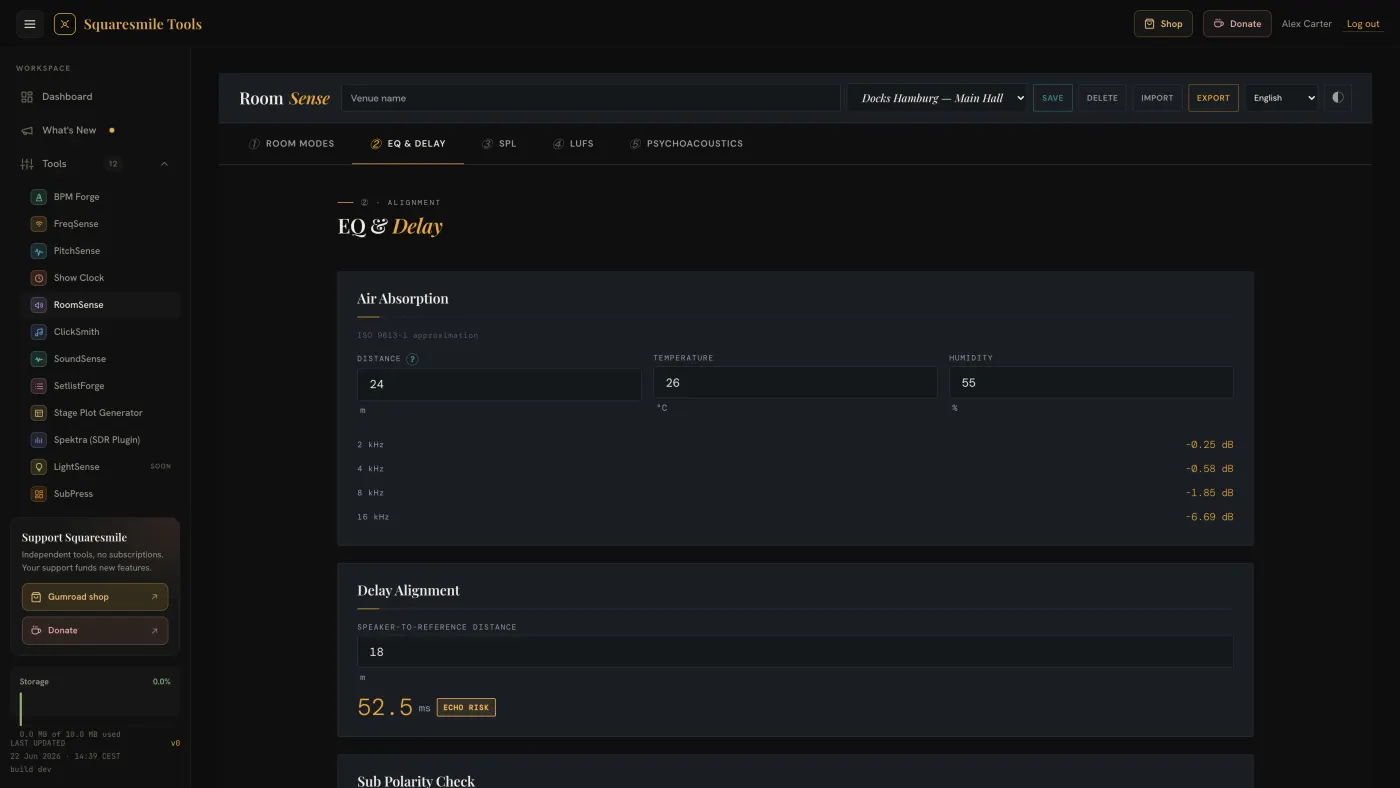
Everything in RoomSense starts with three numbers: the room's internal length, width and height. From those it derives the modes, the proportions verdict, the RT60 estimate and, on the Results tab, the synthesis.
Quick start
- Open RoomSense from the dashboard. You land on the Room Modes tab.
- In Room Dimensions, enter Length, Width and Height in metres (internal clear dimensions). The Total Volume updates.
- Read Modal Distribution · 20–500 Hz — the chart of axial, tangential and oblique modes in third-octave bins — and the Mode List underneath. The L : W : H badge tells you whether the proportions fall in a favourable region (Bolt / EBU R68) or stack modes on the same frequencies.
- Scroll to the RT60 Estimator, pick a material for each surface and read the reverberation time. See Estimate RT60 and size the treatment.
- Type a name in the Venue name field at the top and press Save. The room is now a venue profile you can pick from the — Select venue — list on any of your devices.
The tabs
| Tab | What is on it |
|---|---|
| Room Modes | Room Dimensions, Modal Distribution, Mode List, RT60 Estimator, Treatment Sizing and Suggestions. |
| EQ & Delay | Air Absorption, Delay Alignment, Sub Polarity Check, Crossover Reference. |
| SPL | Inverse Square Law, Back-Row Level, Source Combiner, Hearing Damage Timer, Hearing Protection. See Check exposure and hearing protection. |
| LUFS | A live meter (M / S / I from your input device) and an Integrated LUFS check against Spotify, YouTube, Apple Music, Podcast and EBU R128 targets. |
| Psychoacoustics | Equal Loudness Contours, Simultaneous Masking, Age-Related Hearing Loss (ISO 7029), A/B/C/Z Weighting (IEC 61672), Instrument Frequency Ranges, Just-Noticeable Differences. |
| Results | The synthesis: Modes vs EQ, Critical Distance, Reverberance for speech and music, HF Loss at Back Row. Needs room dimensions and an SPL reference. |
Every tab ends with a Print A5 button.
The top bar
- Venue name, — Select venue —, Save and Delete manage venue profiles — dimensions, materials and targets.
- Import and Export move profiles as a small JSON file between devices or colleagues.
- ◐ toggles dim mode for front-of-house in a dark room. The choice is remembered and follows your account.
Venue profiles sync to your account with a local copy kept on the device. If sync fails, a toast says venue changes are on this device only.
Core concepts
- Room modes are the standing waves a rectangular room supports; axial modes are the strongest. Below the Schroeder frequency the room behaves modally, above it statistically.
- RT60 is how long sound takes to fall 60 dB after the source stops. Speech and PA want roughly 0.4–0.8 s. RoomSense estimates it — it is not a measured decay.
- "?" tips. Every technical term has a ? button with a plain-English explanation; Esc closes it. Tips are in English.
Next
- Estimate RT60 and size the treatment — materials, audience mode and panel counts.
- Check exposure and hearing protection — how long the crew can stand at that level.
Danke für die Rückmeldung.